Obsidian
I have been using Obsidian for a few years now, and I have found myself reaching for it more frequently as time goes on. It’s fast, unobtrusive, and very extensible.
Obsidian’s core use case is editing Markdown files. Obsidian normally stores these Markdown files locally on whatever device you are using Obsidian on. It uses a concept called a vault.
A vault is a folder on your local file system where Obsidian stores your notes. You can keep all of your notes in one vault, or create several vaults for each of your different projects.
I keep my personal Obsidian vault in Google Drive to make sure my files are automatically backed up.
I have been using Obsidian for writing my blog posts (what you’re reading right now!). I also have a work vault to keep things separate. The Obsidian team recently made Obsidian free for work.
Todo app replacement
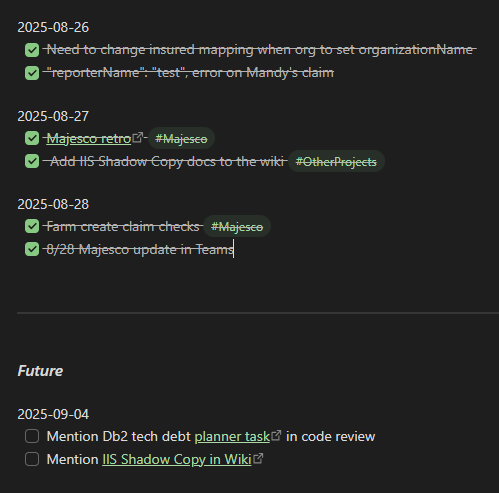
I have been using Obsidian as a Todo app replacement after reading I Tried Every Todo App and Ended Up With a .txt File.
My current setup looks something like this:
Plugins
Obsidian provides a number of core plugins and has a much bigger set of community plugins. A few of my favorite community plugins are below.
Iconic
Customize your icons and colors directly from the Obsidian UI, including tabs, files & folders, bookmarks, tags, properties, and ribbon commands.
Harper
Harper is a powerful, privacy-first grammar and spell-checking tool designed for Obsidian users. Unlike many other grammar checkers, Harper operates entirely offline, ensuring your data remains secure while providing real-time, high-performance corrections. This plugin is ideal for writers, academics, and developers who value privacy and efficiency in their workflows.
Linter
Formats and styles your notes with a focus on configurability and extensibility. Rules can be toggled and configured in the settings.
I’ve barely scratched the surface of everything Obsidian can do. It is free to download and is worth checking out.
#technology#random